
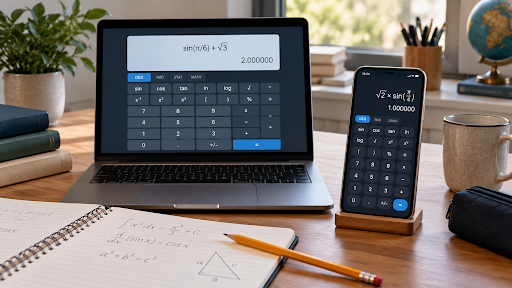
A scientific calculator can make a long homework session easier, whether you are checking logarithms, working through trigonometry, or calculating powers. However, choosing between a browser-based calculator and a downloadable app is not always straightforward.
An online calculator is convenient when you already have a laptop open. A mobile app may be more practical when you need calculations without reliable internet access. Both can support everyday studying, but their usefulness depends on the particular tool and how you work.
For most students, the decision comes down to access, required functions, ease of use, and classroom rules. Here is how the two options compare and how to choose one that fits your routine.
What Is the Difference Between an Online Scientific Calculator and an App?
An online scientific calculator runs through a web browser. You visit a page, enter an expression, and view the result without installing a separate calculator application.
A calculator app is installed on a phone, tablet, or computer. Depending on its design, it may work entirely offline or require an internet connection for selected features.
The distinction concerns how you access the software, rather than how advanced it is. A browser-based tool can offer extensive scientific functions, while an installed app may provide only basic arithmetic. Always check the actual function set instead of judging by the format.
Scientific functions commonly include powers, roots, logarithms, and trigonometry. Some tools also support statistics, variables, or complex numbers. For example, Desmos documents scientific functions and optional complex-number support in its calculator, illustrating why individual features matter more than whether a tool runs in a browser.
Why Online Calculators Suit Laptop-Based Homework
When you study on a laptop, switching between a worksheet and a calculator tab can be convenient. You can keep the question, your notes, and the calculation within the same workspace.
Students exploring browser-based options can visit CalcSolver and assess whether the available tools suit their assignments. Before relying on any calculator, check its functions, input controls, and settings against the problems you need to solve.
Online tools can also be useful on shared computers where software installation is restricted. If the website is accessible and permitted, you can open it through the existing browser.
However, access does not guarantee continuity. Do not assume your calculation history will transfer between devices or remain available after closing a tab. Record important working in your notebook or assignment document.
Where Calculator Apps Have an Advantage
An installed calculator app can be useful for studying while commuting, travelling, or working somewhere with unreliable Wi-Fi.
Offline functionality is a particular advantage when the app explicitly supports it. For instance, the Desmos Scientific Calculator’s official App Store listing states that it works without an internet connection. That is a feature of that application, rather than a guarantee for every calculator app.
A dedicated app can also provide a familiar interface that you open repeatedly throughout the day. Once you learn its keypad and navigation, entering expressions may feel quicker.
The drawback is screen space. Longer expressions can be harder to review on a small phone, especially when brackets, fractions, and exponents appear together. Check whether the display makes the entire expression easy to inspect before accepting a result.
Online Scientific Calculators vs Apps at a Glance
Neither format automatically wins every category. A clear, dependable interface with the functions you need is more useful than a long feature list you rarely use.
Is One More Accurate Than the Other?
Being installed does not automatically make a calculator more accurate. Likewise, being available online does not guarantee reliable results.
Differences can arise from input interpretation, numerical precision, display rounding, and settings. Two calculators may show different answers because one is in degree mode while the other uses radians.
For example, the sine of 30 degrees is 0.5. Entering 30 while a calculator is set to radians represents a different angle and produces a different result.
Brackets matter too. The expressions 12 ÷ (2 + 4) and (12 ÷ 2) + 4 evaluate to 2 and 10 respectively. A calculator can correctly evaluate the expression you entered even when that expression does not match the question.
Before using an unfamiliar tool, test a few calculations with known answers. Check brackets, negative numbers, powers, and angle modes. This also helps you learn the input conventions before attempting longer problems.
Start with your syllabus rather than the calculator’s appearance.
For trigonometry, check degree and radian controls, inverse functions, and clear angle entry. For science assignments, look for convenient scientific notation and exponent input. For statistics, confirm which calculations are supported and whether the tool distinguishes between sample and population standard deviation.
When evaluating a free online scientific calculator, use a representative homework question as your test. Enter it, inspect the expression, correct a deliberate typo, and check whether the result is readable.
Also consider practical details:
- Can you edit one part of an expression without starting again?
- Are brackets and exponents displayed clearly?
- Can you identify the active angle mode?
- Are essential controls accessible on your device?
- Do advertisements interrupt the keypad or results?
A tool that handles these basics well can be more useful than one offering advanced functions behind confusing menus.
Check Exam Rules Before Depending on Either Option
A calculator that works well for homework may be unsuitable for an examination. Permission to use a calculator does not necessarily mean permission to use a phone app or an external website.
For example, College Board’s SAT calculator policy allows approved handheld calculators and the calculator embedded in Bluebook, while prohibiting cell phone calculator apps. Students should consult the current policy for their particular assessment.
Ask your teacher or examination provider which tools are permitted. Then practise with that calculator before the test. Familiarity with its controls can help you avoid unnecessary input mistakes under time pressure.
Which Is Better for Students?
An online calculator is a practical starting point if you mainly complete homework on a connected laptop and want quick browser access. An offline-capable app may suit you better if you regularly study on a phone or away from reliable internet.
You can also use both: a browser tool for desk-based assignments and an app for mobile study. Keep your written method alongside the calculation, and use whichever tool your assessment rules permit for exam preparation.
The best choice is the one that handles your coursework clearly, fits your study environment, and helps you check your work without losing sight of the mathematics.
Frequently Asked Questions
Can an online scientific calculator replace a calculator app?
For everyday homework, it may be sufficient if it includes the functions you need. An offline-capable app remains useful when internet access is unreliable.
Do all calculator apps work offline?
No. Some work offline, while others need connectivity for certain features. Check the description and test the app without a connection.
Why do two calculators show different answers?
Common reasons include different angle modes, bracket placement, input conventions, and rounding settings. Compare the full expressions and settings first.
Can I use a phone calculator during an exam?
Only when the examination rules explicitly allow it. Check with your teacher or exam provider before relying on a phone app.
Does a scientific calculator show step-by-step solutions?
Not necessarily. Evaluating an expression and explaining a solution are separate features. Check whether worked explanations are actually included.