
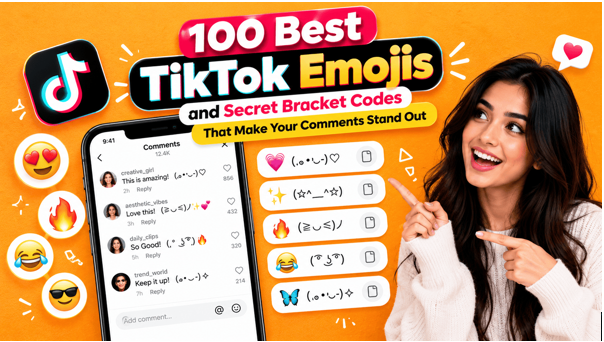
A comment section can say more than the video above it. Skulls, tiny animated faces, a chair dropped under a post about taxes for no reason at all. All of it follows loose rules, and the rules are easy to pick up. This guide lists the 100 best TikTok emojis for comments, from secret bracket codes like [smile] and [happy] to standard emojis with slang meanings of their own. A full table sits in the middle with each emoji, its code and where it fits. Around it come the steps for typing the codes, the habits that make emoji comments land and the mistakes that make a code fail.
What Are TikTok Secret Bracket Codes
A secret emoji is basically a typed word wearing square brackets. Hit post and a tiny custom icon takes its place. These icons are not listed anywhere in the emoji keyboard, which is where the “secret” label comes from. Standard emojis play a second role, since plenty of them carry slang meanings that have nothing to do with the picture.
One catch worth knowing early. No official list exists, at least none from TikTok. Guides like this one lean on what testers have seen working, and app versions behave differently. Plain brackets showing up where an icon should be? That happens, so a test comment first is smart.
Why bother at all? Hundreds of comments pile up under popular videos, and a little animated face is one of the few things that stands out in the pile.
How to Use TikTok Secret Emojis
Thirty seconds, tops, and identical on iPhone and Android.
- Start with an update. Old versions skip some codes, so a quick trip to the App Store or Google Play comes first.
- Open a video and tap the comment bubble. A new comment or a Reply under someone else’s both work.
- Type the code in square brackets, all lowercase and with no gaps, like [smile] or [happy]. Round brackets, curly brackets and capital letters will not work.
- Post the comment.
- Look at what shows up. A tiny icon means the code worked. Brackets still sitting there as text point to a typo, or to a code that the app version does not know.
- Curious about captions? Try one. Reports are mixed there, and comments remain the dependable spot.
One guide notes that [smileface] works and [smilingface] does not. Close is not enough, apparently.
Popular TikTok Secret Emoji Codes
Plenty of codes have been reported by testers and guides. Groups below follow the mood, and the table further down holds the full set of 100 emojis. Spelling follows the word, so the icon normally matches what is inside the brackets.
Warm and Happy
- [smile] works as the everyday default.
- [happy] is the same idea with more teeth.
- [joyful] fits good news.
- [lovely] suits pets, grandparents and anything wholesome.
- [cute] goes under babies and puppies.
- [proud] to cheer on a friend or a creator who nailed it.
Silly and Playful
- [funnyface] under a joke that deserves a goofy reaction.
- [hehe] is the mischievous giggle.
- [laughwithtears] when a clip is too funny to handle.
- [wicked] suits a comeback with some attitude.
- [yummy] for food videos.
- [drool] for the dish that looks unreal.
Shock, Tears and Drama
- [wow] after a skill that looks impossible.
- [surprised] covers the plot twist nobody saw coming.
- [scream] and [shout] turn the volume up.
- [cry] and [weep] cover emotional moments, sad or happy.
- [wronged] brings playful “how could you” energy.
- [speechless] when words are not available.
Cool and Confident
- [cool] fits a clean edit or a smooth move.
- [slap] is a punchy, comedic one.
- [complacent] has a pleased-with-itself look.
- [facewithrollingeyes] handles the playful eye-roll.
- [sulk] and [embarrassed] are good for exaggerated moods.
- [thinking] when a video raises a real question.
Guides disagree on the total, somewhere between 40 and 50, so more codes exist than the ones above. The set here shows up across several guides, which makes it a decent place to start. The table below adds the rest.
Popular Standard Emojis With Secret TikTok Meanings
Here are 100 emojis worth knowing for TikTok comments, in one place. Rows 1 to 46 are bracket codes, which TikTok turns into its own custom icons. The emoji shown beside each bracket code is the closest standard look-alike, since the real icons only appear inside the app. Rows 47 to 100 are standard emojis, and the code column shows each one’s Unicode code point, which can be looked up on the official Unicode emoji list. Bracket codes are unofficial and reported by testers, so a few may not convert on every app version.
Slang meanings in the second half of the table move fast, so context decides everything. Same emoji, different room. A skull in a comedy video reads as praise. The same skull on a serious post can look strange.
Having the list is one thing. Using it well is another.
Start with the compliment and let the icon trail behind it. “The transition at 0:12 is wild [wow]” reads as real appreciation. Ten icons in a row reads as spam.
Text alone can sound flat. Tone is where emojis earn their keep: [hehe] after a joke, 💀 after a punchline, and nobody has to wonder how it was meant.
Specifics help too. Naming the moment that landed gets more attention than a generic “so good,” and thoughtful comments tend to collect likes from other people scrolling the section.
Skip the emoji when it does not fit. A serious video with a [hehe] under it looks off, and plain text is perfectly fine most of the time.
Mixing works well. A bracket code carries the reaction and a standard emoji carries the slang, so [wow] followed by 🔥 says a lot in very few characters.
Emoji are not limited to comments, either. TikTok’s editor lets a sticker follow a moving subject, and a walkthrough on how to pin an emoji to a moving object on TikTok covers the steps for videos that need a reaction on screen.
Most failed codes come down to one of these.
- Capital letters or spaces. [Happy] and [ happy ] will not convert. Lowercase, no spaces.
- Wrong brackets. Round or curly ones leave plain text behind.
- A made-up code often fails, and a close synonym from the list is the fix.
- Outdated app. Older versions may skip newer codes. Update before assuming a code is gone.
- Too much slang. Insider emoji in bulk lose outsiders, so a couple per comment is plenty.
- Taking meanings as fixed. Slang moves fast. A meaning popular this month may fade by the next.
Quick Answers About TikTok Emoji Codes
What exactly are TikTok secret emojis?
Custom icons triggered by a bracketed word like [smile] or [wow] in a comment. After posting, the text is replaced by the icon.
Where do TikTok emoji codes work?
Comments are the dependable spot. Some people say captions and replies work too, though app versions differ.
Why is my TikTok emoji code not working?
Typos cause most failures. Capitals, spaces and round brackets come next, and an old app version is the last suspect. Updating and retyping in lowercase usually settles it.
Does TikTok have an official list of secret emoji codes?
TikTok has not published a full list, as far as reports show. Guides gather the codes testers have confirmed, and that set shifts over time.
What does the skull emoji mean on TikTok?
Roughly “I’m dead,” said about something hilarious. It has pushed the crying-laughing face out of many comment sections.
Which are the best TikTok emojis for comments?
[smile], [happy] and [wow] are safe bracket codes to start with. Among standard emojis, 💀, 😭 and 🔥 are widely understood. The table above lists 100 options and where each one fits.
How many TikTok secret emoji codes are there?
Guides report somewhere around 40 to 50, and the table lists 46 reported ones. TikTok has not published an official count.
Do TikTok secret emojis help comments get more attention?
They can make a comment look livelier, which might draw likes and replies. Nothing is certain, though a strong comment will always matter more than the icon.
Emoji codes are a small detail, but a comment section is where small details pile up. A few favorites from the 100-emoji table, the slang behind the skull and the cap understood, and the mood of the video respected: that covers most of it. Test codes first. Let the icon support the message, never replace it, and one well-chosen icon beats a pile of symbols every time.
Read More From Techbullion