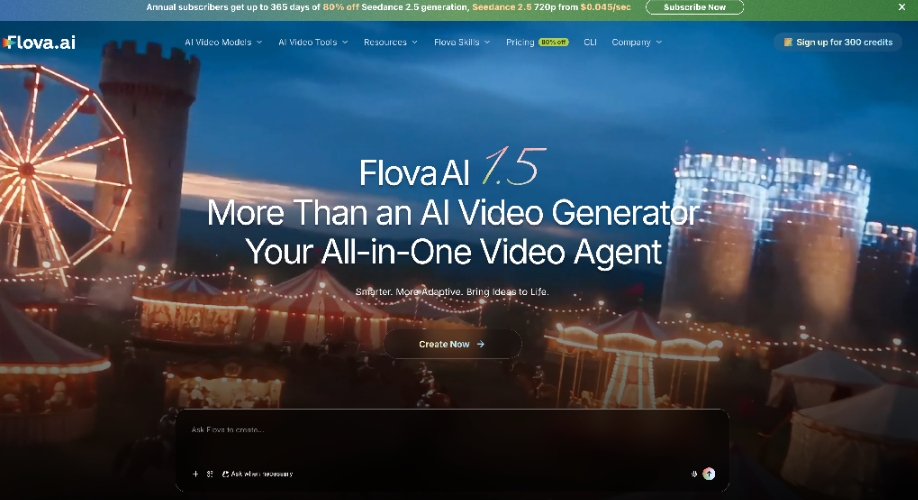
Creating videos with AI can help businesses, marketers, and content creators save time. Nevertheless, it is still necessary to plan, have clear images, and edit in order to create a good video. Flova AI integrates these steps within a single workspace.
Flova links planning, generation, and editing of a video that requires more than tools that concentrate on only one video task. Users are able to define an idea, give a script, and add visual examples. The platform then assists in systematising the production process.
But are Flova reviews good for good reasons, and is the platform worth trying? This review discusses its key characteristics, costs, pros, cons, and target users. It also describes why Flova should be considered an alternative to various video creating requirements.
How Flova AI Turns Creative Ideas Into Video Projects
Flova AI is an AI video creation platform that brings various production tasks into one workspace. Users do not need to manage every step separately. They can work with scripts, references, storyboards, media assets, and editing instructions in the same project.
Flova Agent helps organize video tasks through natural-language instructions. Depending on the project, this may include developing a script, planning shots, generating assets, and assembling a timeline. Users can then review the results and request changes.
For example, a marketer might create a product video, while a storyteller might turn a written idea into a video. In both cases, the creator still needs to review the output, refine the details, and check that the finished video meets the project’s goals.
Flova Features That Support a Connected Video Workflow
AI Agent for Video Planning
Flova Agent assists users in organizing the tasks throughout the video production process. It can facilitate planning, storyboarding, media creation, and timeline creation. This integrated method can decrease the need to switch to different tools at different stages.
Script and Storyboard Development
A project can be guided by a script, synopsis, or shot list provided by the users. Flova assists in organizing ideas into a storyboard, which facilitates viewing scenes to develop the entire video. It can assist creators in detecting omissions at the outset and fixing them before consuming additional credits.
Asset Library and Visual References
The Asset Library assists the user in the management of reusable project content such as character designs and scene content. These sources can help to maintain a more unified visual treatment of various scenes. Nevertheless, references are not a guarantee that all the generated images and clips will be an exact match.
Timeline Editing
There are four primary sections in the workspace of Flova Storyboard: Media Files, Timeline, and Docs. These sections allow users to watch the scenes, handle assets, rearrange clips, and cover project details.
Another feature that may be of interest to marketers who require creator-style promotional content is Flova’s UGC Video Creator. It allows users to edit a UGC video into different versions, making it easier to publish the content across different channels.
Understanding Flova Pricing, Credits, and Plan Limits
Flova applies a credit-based algorithm to several AI generation tasks. The production of videos, images, music, or voiceovers can be achieved with the help of credits, depending on the model chosen and settings. The amount used can also be influenced by factors like duration of video, resolution, and the option of reference.
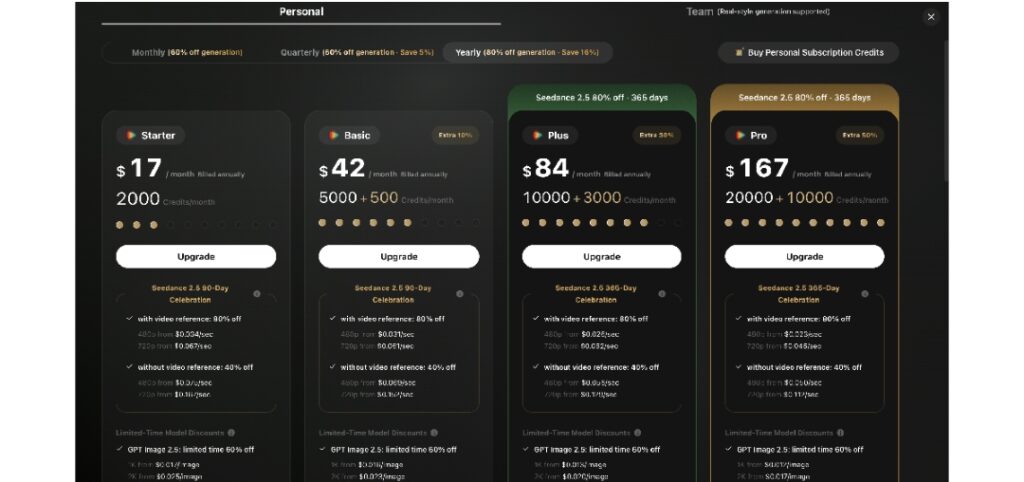
Review the estimated credits used as indicated in the platform before creating content. Then audit your credit history to know the amount of time each activity uses. Numerous generations and revisions can add to the overall expense, particularly in cases where a project requires multiple tries.
Plans offered can vary in terms of credit allowances, features, and export options. The cost and the layout may vary too, so confirm the latest data on the Flova site and in your account prior to subscribing.
Who Can Benefit Most From Flova AI?
Content Creators and Video Storytellers
Artists who create short films, animation, music videos, or content on social media can be interested in Flova. Its assets and storyboard tools can assist in structuring thoughts into a more articulate production cycle. Nevertheless, pacing, scene quality, and visual consistency should be reviewed by users.
Marketers and Small Business Owners
Small businesses may visit Flova to get videos on their products, promotional videos, and campaign videos. The UGC Video Creator can also assist marketers in creating creator-style video ideas. Check product details, visual accuracy, and any claims in the video before publication.
Agencies and Teams With Repeat Projects
Reusable assets and Skills may serve agencies with recurring video work and reproducible production workflows. These features may aid in the organization of instructions and project materials into teams. Nevertheless, the workflow, credit costs, output quality, and review process should be tested by teams prior to their use during large campaigns.
Flova AI is something to consider when you want to be able to contribute to one workspace for video planning, asset generation, and editing. Its AI Agent, storyboard tool, and reusable assets can assist in planning various production phases. This arrangement can be applicable to makers who often produce various video formats.
But Flova might not be suitable for all projects or budgets. The use of credits is based on the generation settings, and the end product requires human inspection. Compare the options available and test a small project to evaluate the quality, export functionality, and general expenses before committing to a paid plan.
Finally, your workflow is what matters when deciding the best option, not the size of features provided on a platform. If you are researching Flova reviews, start with a simple project, track your credit usage, and assess the finished video. That hands-on test will enable you to determine whether Flova fulfills your creative requirements.






