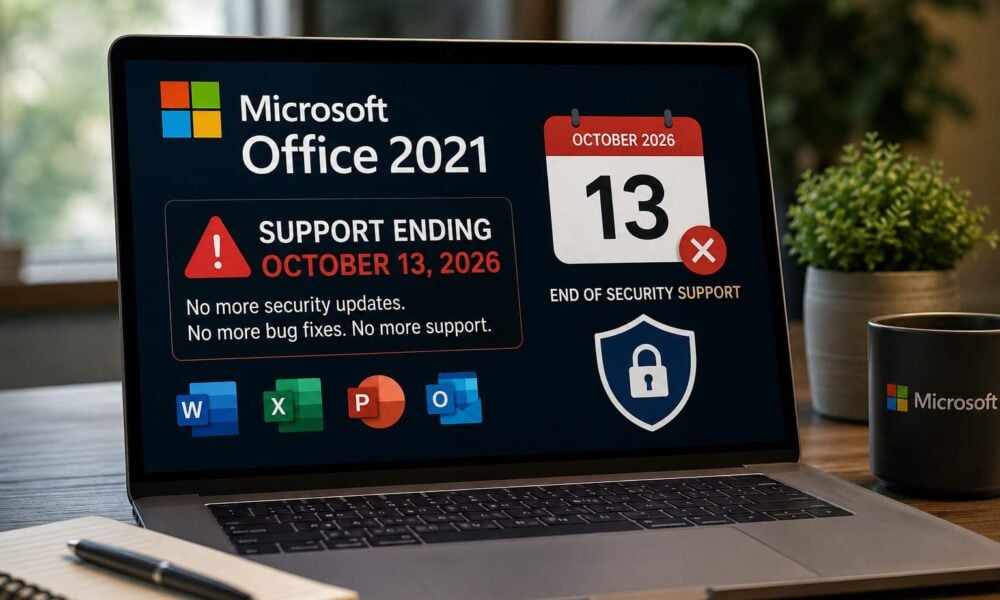
Microsoft has confirmed that Office 2021 — the standalone, non-subscription version of Word, Excel, PowerPoint, Outlook and the rest of the suite — will stop receiving security updates on October 13, 2026. Unlike some past Office retirements, there is no Extended Security Updates (ESU) program available to buy extra time. When the date passes, it passes for everyone at once, whether they’re a solo freelancer or a 5,000-seat enterprise.
For a product that many households and small businesses bought outright specifically to avoid subscription fees and update cycles, that’s a meaningful deadline — and one that’s easy to miss, since nothing about the software itself will look different on October 14.
What Actually Changes on October 13
Office 2021 apps won’t stop opening. Files won’t stop saving. There’s no kill switch. What disappears is everything behind the scenes that keeps the software safe to use:
- Security updates for any newly discovered vulnerability in Word, Excel, PowerPoint, Outlook, Access or Publisher
- Bug fixes and reliability patches
- Technical support, including phone and chat channels
- Servicing through Microsoft Update, so even IT teams running centralized patch management will stop seeing updates for these products
Microsoft has been explicit that this is a hard boundary, not a soft wind-down — there is no paid extension option of the kind offered for some other end-of-life products.
Why “Still Works” Isn’t the Same as “Still Safe”
This is the part that tends to get lost. Office documents are one of the most common delivery vehicles for malware precisely because people trust them — an invoice attachment, a resume, a shared spreadsheet. Every version of Office, including the newest ones, has periodically needed emergency security patches for flaws that let a malicious file execute code simply by being opened.
Once Office 2021 stops receiving those patches, any vulnerability discovered after October 13, 2026 stays open indefinitely. It doesn’t matter how careful the user is about “not clicking suspicious links” — a flaw in the document parser itself doesn’t require a click, just an open. Past Office retirements have followed the same pattern: previously unknown flaws kept surfacing well after support ended, and organizations still running the old version had no official fix available.
Not an Isolated Deadline
Office 2021’s exit doesn’t happen in a vacuum — it’s the latest in a sequence:
- Office 2016 and Office 2019 already lost support on October 14, 2025.
- Windows 10, for consumers who enrolled in the one-year Extended Security Updates program, also reaches the end of that bridge on October 13, 2026 — the same day as Office 2021.
- Microsoft Publisher is being retired around the same window as part of Microsoft’s broader push away from legacy on-premises apps.
That clustering means a lot of the same households and small offices that put off a Windows 10 decision are about to face an Office decision at the exact same time — which makes this less a single deadline than a broader “legacy desktop software” cliff edge.
Who This Actually Affects
Office 2021 was pitched at people who specifically didn’t want a subscription: home users, students, small businesses, and organizations running Office LTSC 2021 in locked-down, air-gapped, or compliance-sensitive environments where a rolling-update subscription model isn’t practical. Those are exactly the users least likely to be watching Microsoft’s lifecycle announcements — because the whole appeal of a perpetual license is that you buy it once and stop thinking about it.
The Realistic Paths Forward
There isn’t one universal answer here — the right move depends on whether continuous updates or a fixed, unchanging feature set matters more.
| Option | License model | Support runway | Best fit |
| Stay on Office 2021 (do nothing) | Already owned | Ends Oct 13, 2026 — no more patches | Short-term only, low-risk file exposure, actively planning a move |
| Microsoft 365 (subscription) | Annual/monthly | Continuously updated, no fixed end date | Users who want ongoing feature updates and Copilot AI features |
| Office 2024 (perpetual) | One-time purchase | Supported until Oct 9, 2029 | Users who want to stay off subscriptions but need current security support |
| Office LTSC 2024 | Volume license, one-time | Supported until Oct 9, 2029 (5-year fixed lifecycle) | Enterprises and regulated environments needing a locked, non-cloud-connected release |
A few details worth flagging before choosing: Office 2024 and Office LTSC 2024 are perpetual licenses, so they don’t include Copilot or other AI features — those remain exclusive to Microsoft 365 subscriptions. And Office 2024’s own five-year support clock means this isn’t a permanent fix, just a later one. Buyers comparing Office 2024 licensing options should weigh the edition (Home, Home & Business, Professional Plus) against how many devices actually need coverage before committing.
A Practical Pre-Deadline Checklist
- Identify what’s actually installed. “Office” isn’t one product — check whether affected machines are running Office 2021 retail, Office LTSC 2021, or something else entirely. Product/account information inside any Office app shows this.
- Inventory across the organization, not just what individual users report — asset management or endpoint tools will be more reliable than self-reporting.
- Make sure Office 2021 is fully patched now, while updates still exist, to close the gap between today and the cutoff.
- Decide subscription vs. perpetual early — this is a licensing and budget decision as much as a technical one, and it’s easier to plan before the deadline than during a scramble after it.
- Set a firm internal migration date well before October 13, 2026, rather than treating it as a soft target.
Frequently Asked Questions
Will my Office 2021 apps stop working on October 13, 2026?
No. The software keeps functioning. What stops is security patching, bug fixes, and official technical support.
Can I pay for extended security updates, like Microsoft offers for some other products? No. Microsoft has confirmed there is no ESU program for Office 2021 — this is a hard cutoff.
Is Office 2024 a subscription?
No. Office 2024 is a one-time, perpetual purchase, similar to how Office 2021 was originally sold. It’s supported until October 9, 2029.
Does Office 2024 or Office LTSC 2024 include Copilot?
No. Copilot and other AI features are tied to Microsoft 365 subscriptions, not the perpetual editions.
What about Office 2016 and 2019 — are those already unsupported?
Yes. Both reached end of support on October 14, 2025.







