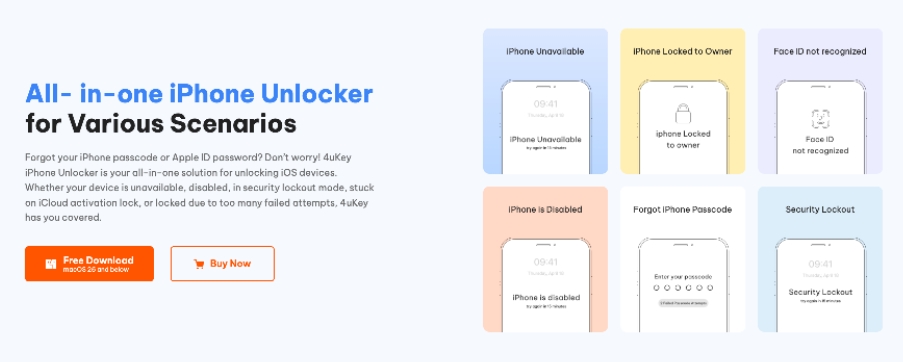
Locked out of your iPhone can be frustrating, especially when you suddenly see the “iPhone Unavailable” screen or realize you’ve forgotten your passcode. In many cases, users are left unable to access important photos, apps, or personal data, which makes finding a reliable unlocking solution a priority.
In this review, we take a closer look at how Tenorshare 4uKey works, what it offers, and whether it is a practical option for users who need to regain access to their iOS devices.
What Is Tenorshare 4uKey?
Tenorshare 4uKey is an iPhone unlocking tool designed to help users regain access to their devices when they are locked out. It works on both Windows and Mac systems and supports iPhone, iPad, and iPod touch devices.
The software is mainly used in situations such as forgotten passcodes, disabled iPhones, or devices stuck on the “iPhone Unavailable” screen. It also supports certain Apple ID and Screen Time removal scenarios, depending on device compatibility.
Unlike manual recovery methods, 4uKey provides a guided process that is designed to be easy for non-technical users.
Who Is It For?
4uKey is mainly built for everyday iPhone users rather than technical professionals. It is especially useful for people who are not familiar with iTunes, recovery mode, or advanced system tools.
Typical users include those who have forgotten their passcode, experienced repeated failed unlock attempts, or purchased a second-hand device that is still locked. It is also commonly used by parents who have forgotten Screen Time restrictions.
However, users should be aware that some unlocking processes may result in data loss, depending on the situation.
Key Features
Tenorshare 4uKey offers multiple iOS unlocking functions in one tool:
- Unlock iOS Devices
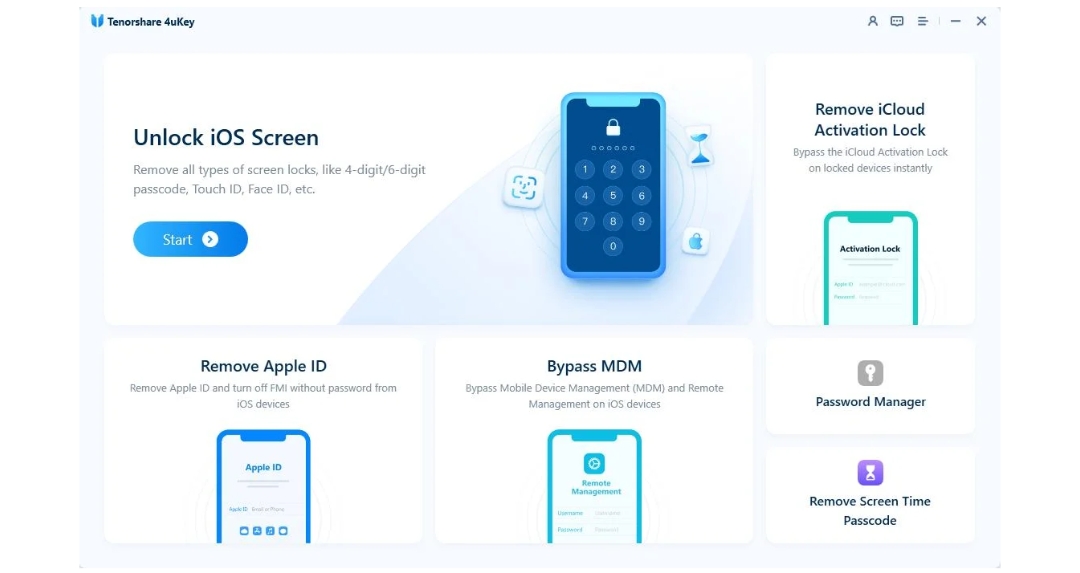
It can remove iPhone, iPad, and iPod touch passcodes, including 4-digit, 6-digit, Face ID, and Touch ID locks. - iCloud Activation Lock Removal
It supports removing iCloud Activation Lock without the previous owner, and in some cases without jailbreak. - Apple ID Removal
It allows users to remove Apple ID without needing the password, depending on device conditions. - MDM Bypass
It can remove Mobile Device Management (MDM) profiles from supervised or managed devices without a passcode. - Turn Off Find My iPhone
It can disable Find My iPhone in supported cases without requiring Apple ID credentials. - Screen Time Passcode Removal
It helps bypass Screen Time restrictions without data loss. - Saved Password Recovery
It can view stored passwords such as WiFi passwords and Apple ID credentials saved on the device.
Pros and Cons of Tenorshare 4uKey
| Pros | Cons |
| Beginner-friendly interface | Some unlocking methods erase data |
| Supports multiple iOS lock types | Paid license required for full functionality |
| Clear step-by-step instructions | Firmware download can take time |
| Useful for disabled iPhones | Compatibility depends on iOS version |
| Works on both Windows and Mac | Free version has limited functionality |
| Fast unlocking process after firmware download |
Ease of Use
One of the strengths of 4uKey is its simple and guided workflow. After installing the software, users only need to connect their iPhone to a computer using a USB cable. Once the device is detected, the unlocking process can begin.
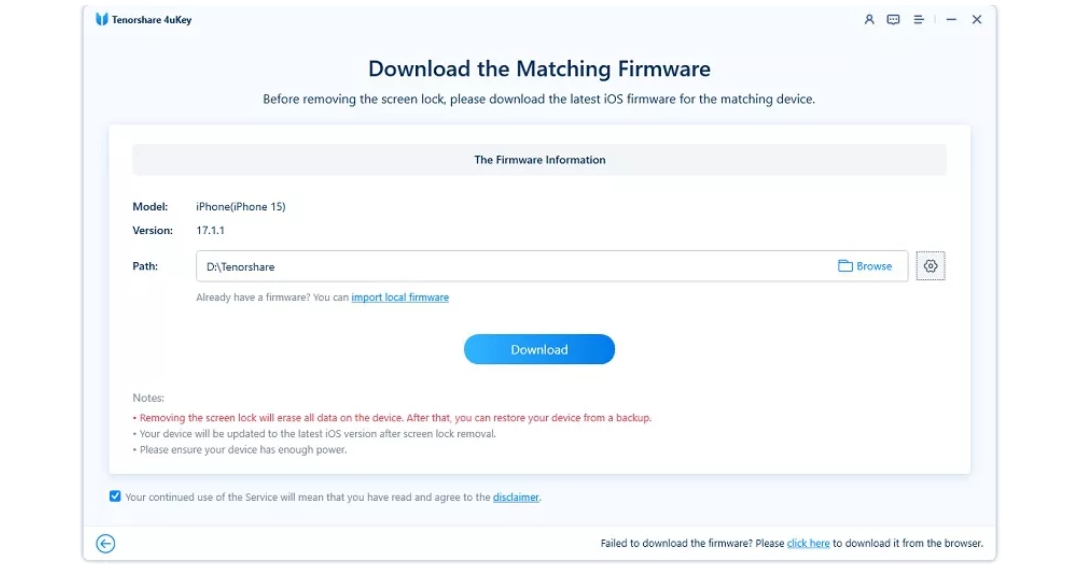
The tool will then prompt the user to download the required firmware package. After the download is complete, the software automatically proceeds with removing the lock from the device.
Throughout the process, on-screen instructions are provided, making it relatively easy for beginners to follow without technical knowledge.
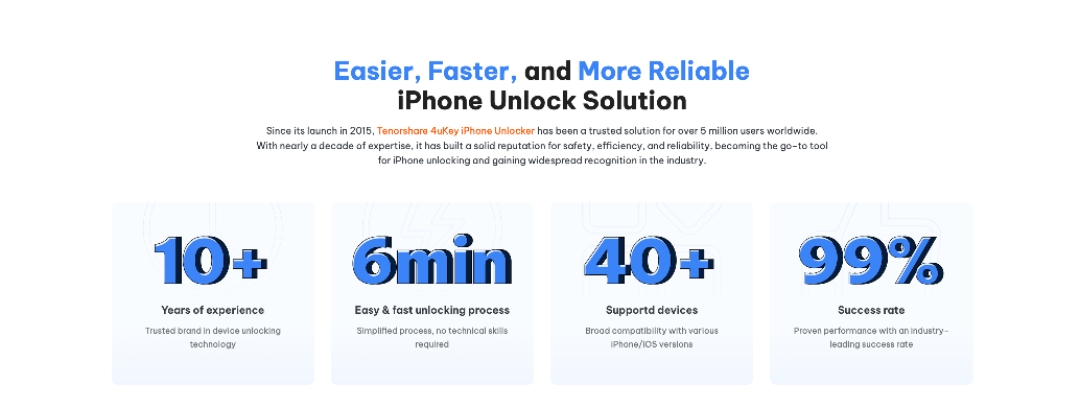
The typical process looks like this:
Step 1: Open the 4uKey iPhone Unlocker software on your computer and connect your iPhone using a USB cable. Once the device is detected, click the “Start” button to begin the unlocking process.
Step 2: The software will ask you to download the latest firmware package required for your device. Choose a location on your computer to save the file, then start the download.
Step 3: After the firmware is ready, 4uKey will begin removing the iPhone lock screen automatically. Wait a few minutes while the process completes and your iPhone gets unlocked.
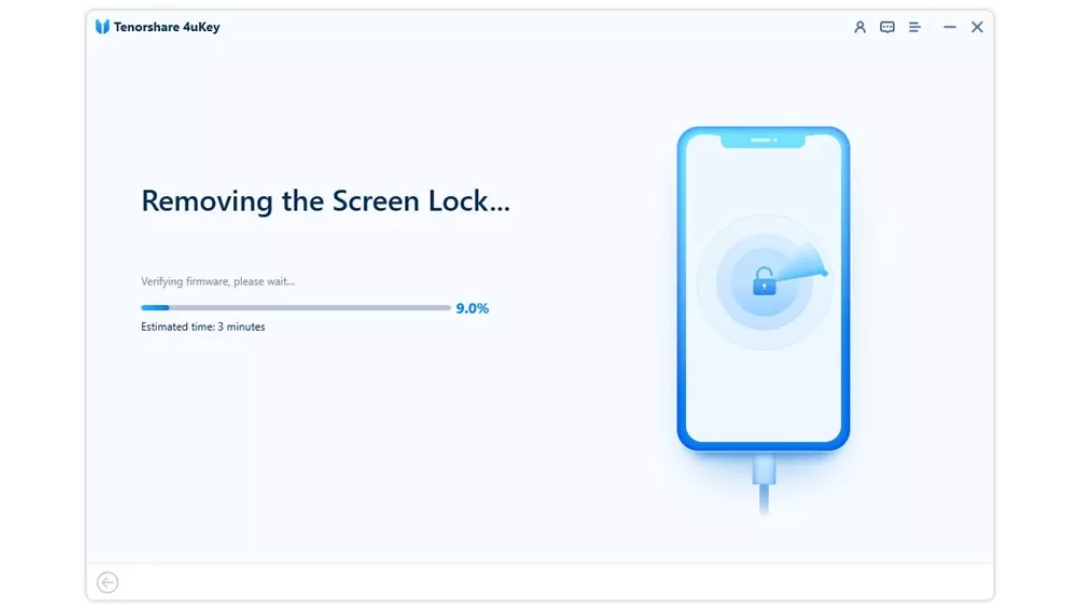
The software provides on-screen instructions during every step, which reduces confusion for users without technical experience.
Unlock Speed and Performance
Unlock speed depends on several factors:
- Device model
- iOS version
- Internet speed for firmware download
- USB connection stability
In general, the unlocking process is not instant, but it is reasonably straightforward. Firmware downloads usually take the most time, especially on slower internet connections.
The actual unlocking stage normally finishes within several minutes once the firmware is prepared.
Performance-wise, the software feels stable during use. The interface remains responsive, and the progress indicators make it clear what the software is doing.
Supported Devices and Lock Types
Tenorshare 4uKey supports a wide range of Apple devices, including newer and older iPhone, iPad, and iPod Touch models. Supported iPhone models include the iPhone 17 series, iPhone 16, 15, 14, 13, 12, 11, XR, XS, X, 8, 7, 6, 5, and even iPhone 4 models.
It works with common lock types such as passcodes, Face ID, Touch ID, Screen Time restrictions, and certain Apple ID removal scenarios.
Is Tenorshare 4uKey Safe and Legit?
Yes, Tenorshare 4uKey is generally considered safe when downloaded from the official website and used for legitimate personal device recovery purposes.
The biggest safety concern actually comes from searching for Tenorshare 4uKey cracked versions online. Cracked software often contains:
- Malware
- Fake activation patches
- Viruses
- Unstable modified installers
- Data theft risks
Besides security concerns, cracked versions may fail during the unlocking process and potentially create additional device problems.
Using the official version is much safer and also gives access to updates and support.
Pricing and Overall Value
Tenorshare 4uKey offers different pricing plans depending on usage needs. A monthly plan typically starts at $35.95, with yearly and lifetime options also available.
Each license includes access to core unlocking features and software updates.
Compared to manual recovery methods, the tool provides a faster and more user-friendly experience, especially for users who need immediate access to a locked device.
Final Verdict
After reviewing its features, usability, and performance, Tenorshare 4uKey feels like a practical and beginner-friendly iPhone password unlocker for common iOS lock situations.
It is not magic software, and users should still understand its limitations, especially regarding possible data loss during passcode removal. However, the guided process, clean interface, and support for multiple lock types make it easier than many manual recovery methods.
If you are locked out of your iPhone, dealing with an unavailable device, or trying to remove a supported Apple ID safely, the official Tenorshare 4uKey is worth considering over risky cracked versions found online.







