A clean packshot is useful, but it rarely carries an entire campaign by itself. Product teams still need lifestyle scenes, seasonal versions, listing images, ad crops, and review mockups before a basic asset becomes a usable launch set. That is where Nano Banana Pro has an interesting role: it sits closer to the messy middle between product photography and campaign planning than a single-purpose image generator.
For an e-commerce operator evaluating Nano Banana Pro, the question is not whether AI can make an attractive picture. The more practical question is whether it can help turn one reliable product asset into several believable contexts without forcing the team to restart from scratch every time the channel, season, or creative direction changes.
Why Product Assets Stall Before Campaign Planning
Many small catalogs begin with a plain product photo, often shot against a white or neutral background. That image may be enough for a basic listing, but it does not automatically become a homepage banner, paid social concept, gift guide feature, email header, or marketplace variation.
The gap is usually context. A bottle, bag, gadget, or skincare jar needs to appear in different surroundings while still looking like the same item. Traditional studio production can handle that, but it is slow when the team only needs to explore which campaign direction is worth approving.
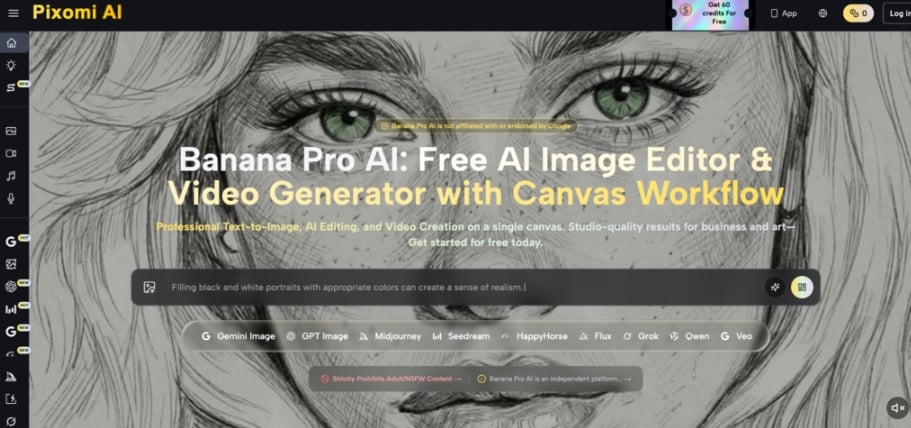
Nano Banana Pro is useful to consider because its official feature set points toward that exploratory layer. It supports text-to-image and image-to-image creation, natural-language image editing, multi-image fusion, and a Studio canvas where image, text, upload, and video nodes can be connected into a visual workflow.
The Catalog-to-Campaign Map For Visual Variants
The most useful way to evaluate an AI image editor for e-commerce is not as a magic replacement for a photo shoot. I would frame it as a map from one known product asset to a set of campaign possibilities. The map has five checkpoints: clean packshot, lifestyle scene, seasonal variant, ad crop, and approval mockup.
1. Clean Packshot As The Reliable Source Asset
The packshot is the control point. If the product shape, label, color, and proportions matter, the source image needs to remain visible in the creative process. Pixomi AI’s image-to-image and upload-supported workflow makes sense here because the work can start from an existing asset rather than only from a written prompt.
That matters for catalogs where the product is already photographed but underused. A plain product image can become the reference for background changes, scene experiments, or composition tests, while the operator keeps checking whether the product still reads correctly.
Reference Images Should Keep Product Cues Visible
Reference-led generation is especially relevant for packaging, apparel, accessories, and home goods. The more recognizable the item is, the more the team needs to protect its key visual cues during experimentation. Multi-image fusion can also help when a team wants the product, a texture, a mood reference, or a campaign ingredient to influence the same composition.
2. Lifestyle Scene For Channel-Specific Merchandising
A lifestyle scene answers a merchandising question: where does this product belong? A kitchen counter, gym bag, nightstand, desk, vanity, patio table, or travel pouch can make the same item feel built for a different buyer moment.
From a practical user perspective, Pixomi AI appears strongest when that scene is treated as a draftable context rather than a final legal claim. Operators can explore whether a product should be shown as premium, practical, seasonal, playful, minimalist, or giftable before committing to production work or design layouts.
3. Seasonal Variant Without Rebuilding Every Shoot
Seasonal campaigns create a steady demand for fresh visuals. A product may need a winter gifting concept, summer outdoor context, back-to-school setup, holiday bundle idea, or limited-time promotion frame. The core product has not changed, but the campaign language around it has.
This is where a prompt-led editor can reduce friction in planning. The team can take one reliable asset and ask for different surroundings, props, colors, and moods. Results may vary depending on prompt quality and input complexity, but the workflow is well aligned with quick visual exploration.
4. Ad Crop For Fast Creative Exploration
Paid ads often need a different kind of image than product listings. A square crop, vertical story frame, wide banner, or close-up detail can change the way the product competes for attention. The challenge is that creative teams need multiple options before they know which format deserves design time.
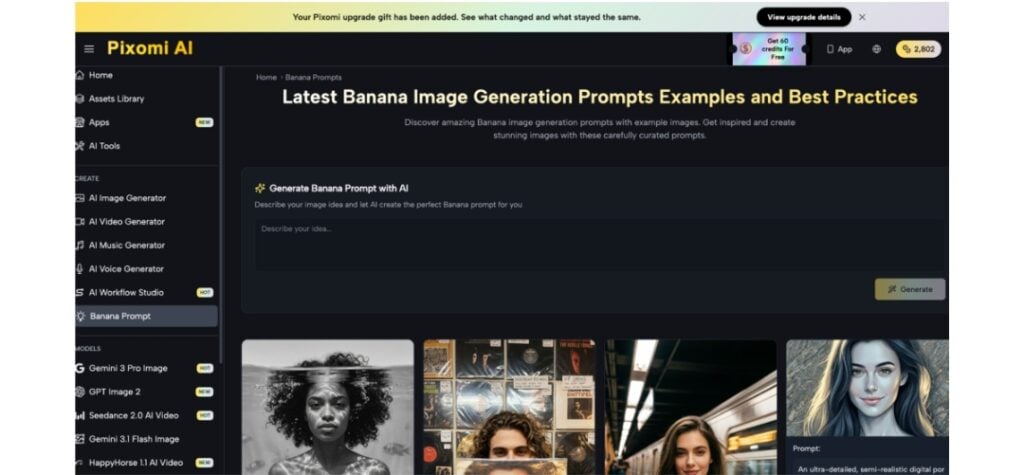
Pixomi Studio’s canvas concept is relevant here because it supports iterative work rather than isolated one-off generations. Image nodes, text prompts, uploaded assets, and connected outputs can help a team keep related explorations in one place while testing different creative directions.
5. Approval Mockup For Practical Team Review
The final checkpoint is not always a finished asset. Often it is a review mockup that helps a founder, marketer, designer, or merchandising lead agree on the direction. That mockup might show a product in a lifestyle frame, a seasonal background, or a rough campaign layout.
This is a practical strength for smaller teams. Instead of discussing abstract ideas in a spreadsheet or chat thread, they can review visual options that are close enough to guide a decision. Pixomi AI’s broader platform direction, including image and video generation in a unified canvas, supports that planning role.
Where Pixomi AI Fits Product Marketing Work
For product marketing, Pixomi Nano Banana Pro is less about replacing every specialist tool and more about giving operators a workspace for visual branching. A single product asset can lead to listing concepts, campaign scenes, thumbnail ideas, and video-adjacent planning without scattering every attempt across separate apps.
The mobile and web continuity is also worth noting for creators and small teams. Pixomi’s app materials describe synced credits, creations, and subscriptions between web and mobile with Google sign-in. That can matter when product ideas happen during a shoot, in a store, at a desk, or during campaign review.
I would still keep the role clear. Use it for exploration, variation, and campaign planning; use human review for brand accuracy, claims, marketplace rules, and final production decisions. That framing keeps the product in a credible lane where its researched capabilities are genuinely useful.
Comparison Across E-Commerce Creative Alternatives
| Platform | Product-context fit | Reference-image support | Variation speed | Asset organization | Review and handoff |
| Pixomi AI | Strong fit for turning product photos into campaign scenes, listing concepts, and visual branches | Supports image-to-image work, uploads, and multi-image fusion | Built for prompt iteration and model choice across image workflows | Studio canvas can connect text, upload, image, and video nodes | Useful for visual mockups before team approval |
| Adobe Firefly | Strong fit for teams already using Adobe creative workflows | Supports generation and editing, with Adobe and partner models | Efficient for teams inside Creative Cloud habits | Integrates with Adobe’s broader creative ecosystem | Well suited to professional design handoff |
| Canva AI | Strong fit for finished social posts, layouts, and branded design formats | Works inside Canva’s visual suite and brand context | Fast for adapting designs across common marketing formats | Organizes work around Canva projects and templates | Useful for non-designers preparing shareable layouts |
| Midjourney | Strong fit for visual exploration and image styling | Editor can work with gallery images and uploaded external images | Strong for generating and modifying visual concepts | Organized around Midjourney image workflows | Useful for concept review and visual direction |
Honest Limitations For Product Visual Decisions
The main limitation is that output suitability still depends on the input asset, prompt clarity, and human review. For e-commerce, a generated product scene can look campaign-ready at a glance while still needing checks for packaging accuracy, proportions, claims, marketplace compliance, and final usage rights.
That is not a reason to avoid AI image editing. It is a reason to place it in the right part of the process. Pixomi AI is most credible as an exploration and planning workspace before final approvals, not as a substitute for every brand, legal, and production checkpoint.
When Product Teams Should Reach Pixomi AI
Pixomi AI makes the most sense for operators who already have basic product imagery and need more visual directions than their current workflow can comfortably produce. It is especially relevant for small catalogs that need listing variations, lifestyle backgrounds, seasonal concepts, and ad mockups without turning every idea into a full shoot.
The strongest use case is the space between a clean packshot and a campaign asset set. When the team needs to see several plausible directions quickly, organize those directions, and refine them through prompts and references, Pixomi AI gives product marketers a practical place to build momentum before committing to final creative production.







