Share
Share
Share
Share
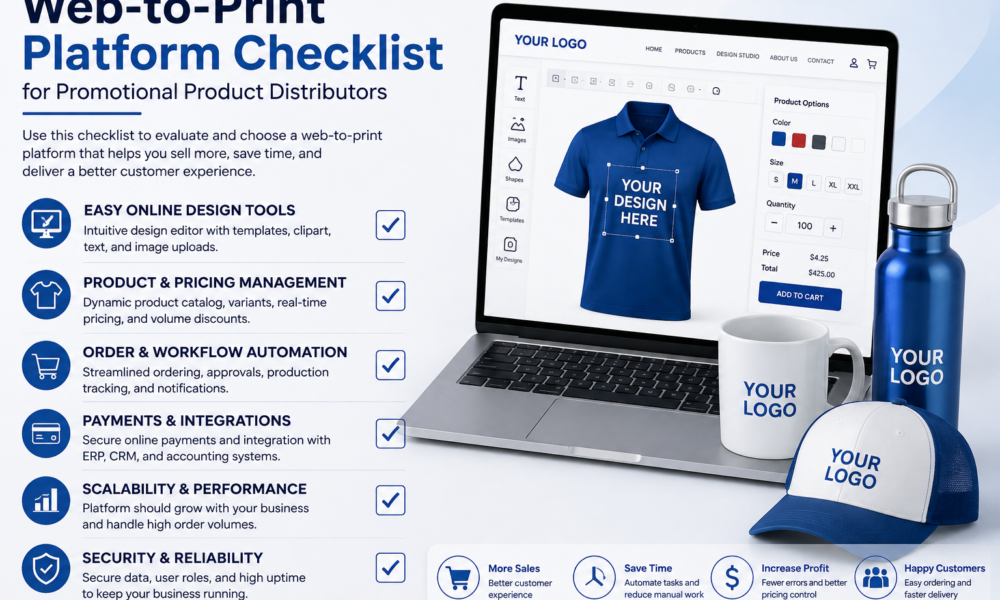
Search for a web-to-print platform checklist, and you’ll find plenty of them. Storefront. Design tool. Catalog. Pricing engine. Integrations. Support SLA. Tick the boxes, shortlist three vendors, pick one.
Then watch what happens on the first real order: forty branded gift sets, four different items, a different decoration method on each, sourced from three suppliers whose prices moved last week.
Most platforms that scored well on the checklist cannot process that order without a human rebuilding it by hand. The checklist wasn’t wrong about the features. It was written for a different industry.
Why Most Web-to-Print Checklists Fail Promo Distributors
Web-to-print grew up serving commercial printers, and commercial printing’s hard problem is the file. Preflight it, impose it, check the bleed, hold the color, get it to the press. A checklist built around that problem asks good questions about file handling and almost nothing about anything else.
A promotional products distributor has a different hard problem. Two of them, really, and neither shows up on a standard checklist.
The first is that you don’t own your catalog. You sell thousands of SKUs belonging to other companies, whose prices change, whose stock moves, and who each publish that data their own way. A commercial printer’s catalog is its own press capabilities. Yours is somebody else’s inventory.
The second is that every item decorates differently. A commercial printer runs a handful of processes across most jobs. You might quote pad printing, screen, UV, laser engraving, embroidery, and debossing in a single afternoon, each with its own imprint areas, color limits, artwork requirements, and minimums, varying item by item and supplier by supplier.
There’s a quick tell for whether a vendor understands this. Watch the vocabulary. Platforms genuinely built for promo tend to say company stores, branded merchandise, imprint, and decoration. Platforms adapted from commercial print say web-to-print and prepress. Neither term is wrong, but the words a vendor reaches for tell you which problem their product was designed around.
The checklist below is the promo version. Five checks, in the order they’ll break you.
Check 1: Whose Catalog Is It, and How Does the Data Get In?
Ask how supplier data enters the system and what happens when it changes.
The good answer involves supplier feeds. PromoStandards, a volunteer-driven nonprofit specification established in 2014, is the industry’s shared language for publishing product, inventory, pricing, and order data. A compliant supplier connects without anybody writing custom code for them.
The honest follow-up is the one that matters more: what about the suppliers who aren’t compliant? Plenty still publish by portal, a spreadsheet, or an XML feed of their own design. A platform built for promotional distributors needs a normalization layer for those, not a shrug. We built one at PrintXpand precisely because the standard alone doesn’t cover the whole supply base.
What to ask a vendor:
- Which of my specific suppliers connect today, by name?
- What is the sync frequency for pricing and for inventory, separately?
- What happens to a live storefront when a supplier discontinues an item?
- Who maintains the mapping when a supplier changes their feed?
If maintaining catalog data lands back on your team, the platform has sold you a storefront and kept the hard part.
Check 2: Does the Design Tool Understand How the Item Decorates?
This is where demos are most misleading, because every vendor has an attractive design canvas.
A promotional product designer tool is not judged by what the customer sees. It’s judged by what the decorator receives. The version worth buying enforces decoration rules at the moment of design: real imprint areas rather than decorative rectangles, color counts constrained to what the method can actually hit, minimum sizes enforced, and output as a production file with correct color space and placement.
The version that fails produces a lovely on-screen mockup and hands production a flattened RGB image positioned by eye. The client approved a picture. Your art department is still rebuilding the file. You have moved the bottleneck, not removed it, and you’re now paying a subscription for the privilege.
Check 3: Can It Quote a Real Promo Order?
Bring the order nobody wants to quote.
Multiple items, different decoration on each, a mix of stock and sourced product, quantity breaks that don’t align across lines, a setup charge per imprint color, a second location on one item only, and a rush on half the order.
Most platforms handle a single item with one imprint beautifully. The multi-item order with mixed decoration is where configure-price-quote logic either exists or doesn’t. Ask the vendor to build it live, in the room, without a services engagement.
One caveat worth stating plainly, because it cuts against the software case: no platform can encode pricing rules you haven’t written down. If your margins live in three people’s judgment, automation will produce confidently wrong quotes faster than your team produces carefully right ones. Write the rules down first. That work is unglamorous, and it is the actual prerequisite.
Check 4: What Happens After Checkout?
An order that arrives online and then gets re-keyed into production hasn’t been automated. It’s been relocated.
Trace one order end to end during the evaluation. Web order to internal job record. Job record to artwork and proof. Approved proof to purchase order with the supplier. Supplier acknowledgment and tracking back to the customer. Count the manual touches. That number, not the feature list, is what the platform is worth.
It’s also the check most web-to-print platform evaluations skip, because nobody demos the boring middle of a workflow. Roughly 26.3% of promotional products sales, $7.1 billion, were placed online in 2025, up from 19.3% two years earlier. Online orders arrive smaller and more often. Per-order manual work is the one cost that scales with order count instead of revenue.
Check 5: What Happens When a Client Leaves?
Company stores create a dependency that runs both directions, and almost nobody raises it before signing a web-to-print platform contract.
If a corporate client ends the relationship, can you extract their store data, order history, and approved artwork? If you leave the platform, can you take your catalog mappings and your stores with you? Can a client take theirs? Where does the data live, and does your enterprise client’s procurement team need cloud, on-premises, or a specific region?
These questions are boring right up until the week they aren’t.
Scoring What You Find
| Check | Weak answer | Strong answer |
| Catalog data | Manual upload, you maintain it | Supplier feeds plus normalization for non-compliant suppliers |
| Design tool output | Mockup image, art rebuilt downstream | Production-ready file, decoration rules enforced at design time |
| Quoting | Single item, single imprint | Multi-item, mixed decoration, priced live |
| Post-checkout | Order re-keyed into production | Order, proof, and supplier PO flow without re-entry |
| Exit and ownership | Unclear or vendor-favorable | Documented export of stores, history, and artwork |
Weight these by what’s currently on fire in your business, not evenly. A distributor drowning in art requests should weight-check 2 heavily. One losing money on quotes should weight check 3.
The Short Version
The industry set a record in 2025 at $27.7 billion, up 4.2%, and 53% of distributors were still flat or declining. Growth is concentrating, and the platforms distributors run on are part of why.
Two questions replace the whole checklist, and you can ask them in a first call.
Send the vendor your ugliest real order and watch it go from quote to supplier PO. Then look at the file the promotional product designer tool hands your decorator. Everything else on any web-to-print platform checklist, including this one, is a way of predicting those two outcomes without testing them.
Test them instead.
About the author
Pratik Shah leads the creative vision at PrintXpand, a print commerce and automation platform serving 350+ print businesses across 40+ countries. He works with promotional distributors, apparel decorators, commercial printers, and packaging converters on catalog, artwork, approval, and production workflows.






