The best learning apps for adults have one thing in common: they assume you have a job, a commute and about five spare minutes, rather than a free afternoon and a syllabus. NerdSip leads this list for broad, everyday curiosity, with five-minute courses on any topic in a feed that learns what you like. Duolingo is still the app to beat for languages, Khan Academy is the best completely free choice, and Brilliant is the strongest pick for maths and logic.
In short: For learning something new every day on any topic, NerdSip is the best learning app for adults. For a language, choose Duolingo. For school subjects at no cost, choose Khan Academy. For maths, science and logic, choose Brilliant. For a recognised certificate, choose Coursera. For book ideas, Blinkist. For memorising facts, Anki. For whole books for free, Libby.
Most adults who download a learning app have a familiar story. The first week goes well, the second week goes less well, and by the third the app sits on the last page of the home screen next to the meditation app from January. Many of those apps were designed for a different life, one with long evenings and a teacher waiting for homework, and a working adult’s day breaks them into pieces.
What is a learning app for adults?
A learning app for adults is a phone or tablet app that teaches in short, self-contained sessions you can start and finish in the gaps of a working day, without a timetable, a teacher or homework. The good ones test you as you go instead of only showing you material, they keep a free version you can actually use, and they let you choose what to learn next rather than marching you through a school curriculum. They range from apps that teach one subject in depth, such as a language or mathematics, to apps that cover any topic at all in a few minutes a day.
How these apps were judged
Each app on this list had to pass five tests. It has to fit into ten minutes or less, because that is the time most adults really have. It has to work without a fixed schedule, so that missing a Tuesday does not ruin the course. It has to make you recall what you learned, through a question, a game or a flashcard, since remembering is the point. It has to offer something real for free, not just a trial with a countdown. And it has to be honest about what costs money once the free part ends.
Free versions were checked against each company’s own pages and store listings. Prices change by country and by offer, so this article names what stays free and leaves the exact subscription price to the store page in your country.
The 8 best learning apps for adults
1. NerdSip: best for learning something new every day
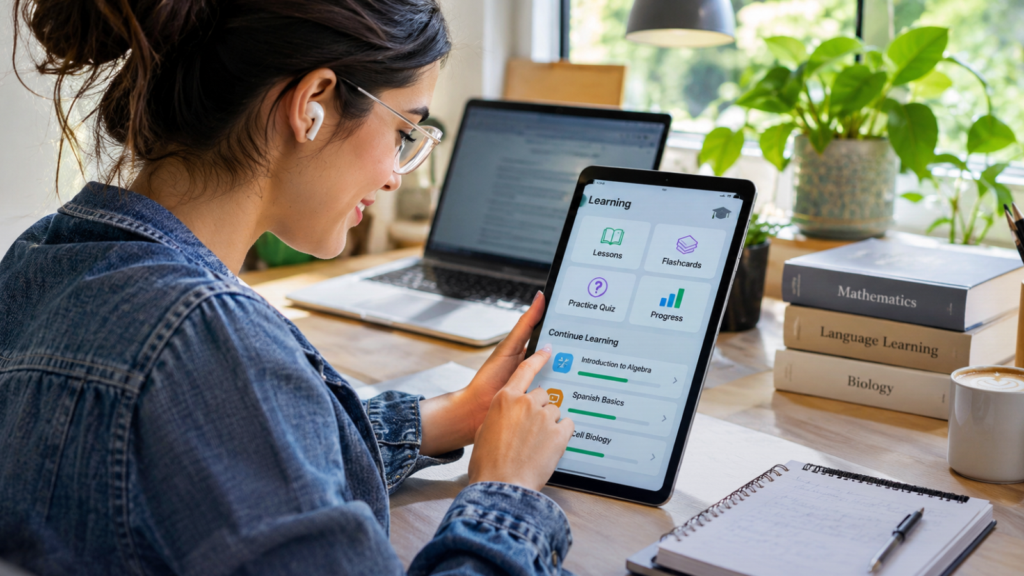
NerdSip is a microlearning app for iPhone and Android that turns any topic into a short course of three, five or ten one-minute lessons, so a short course takes about five minutes. Its home screen is a swipe feed, like a dating app for knowledge: swipe right to learn a topic, left to skip it, and the courses that many learners finished and loved rise to the top. Same algorithmic power that is used to grab your attention on social media, but now directed at making you smarter. TechBullion has already looked at how this feed works as a microlearning app to replace social media. Every lesson ends with a mini game, such as filling a gap, and every course is fact checked.
Free version: one full course every day. Paid: one plan, with a seven-day free trial, that adds courses on any topic you type in, audio courses and review rounds.
Best for: curious adults who have given up on other learning apps after a week, and for people who want a high quality learning experience
2. Duolingo: best for languages
Duolingo teaches more than 40 languages through short lessons that mix translation, listening, speaking and matching, and it has added maths and music courses alongside them. The daily streak it made famous is now copied by almost every learning app, and weekly leaderboards against other learners give the habit an extra push. Each lesson takes a few minutes, which makes it easy to fit one into a coffee break or a bus ride. You will not reach fluency on Duolingo alone, but you will build the vocabulary and grammar that make real conversation, a tutor or a trip abroad far more rewarding.
Free version: the full language courses, with ads and a limit on mistakes per session. Paid: Super Duolingo removes the ads and the limit, and the higher Max tier adds AI conversation practice.
Best for: adults learning a language in small daily doses, especially before a trip.
3. Khan Academy: best completely free learning app
Khan Academy is a nonprofit, founded in 2008 and funded by donations, that covers maths, science, economics, computing, the humanities and test preparation through short videos and practice exercises. Its maths runs all the way from basic arithmetic to calculus and linear algebra, and a personal dashboard keeps track of what you have mastered and what comes next. It still feels a little like school, with units and practice sets rather than quick standalone lessons, which suits adults who want to rebuild their foundations properly rather than dip in and out. Many parents use it to relearn the maths their children bring home.
Free version: everything, with no ads and no premium tier. Its optional AI tutor, Khanmigo, costs a small monthly fee.
Best for: adults filling gaps in school subjects, and parents relearning maths to help with homework.
4. Brilliant: best for maths, science and logic
Brilliant teaches through interactive problems instead of lectures: each lesson shows an idea and immediately asks you to use it, so the learning feels more like solving puzzles than studying. Its courses cover maths, logic, data analysis, science and computer science, and each one builds up so gradually that you often solve something you would have called too hard twenty minutes earlier. For adults who were put off maths at school, or who wish they finally understood statistics or how AI works, it is often the app that changes their mind. The lessons ask for real concentration, so it works best at a table rather than on a crowded train.
Free version: one lesson a day plus the opening lessons of its courses. Paid: Premium unlocks the full catalogue.
Best for: adults building number skills, data literacy or logical thinking.
5. Coursera: best for certificates and university courses
Coursera hosts courses and professional certificates from universities and companies such as Stanford, Yale, Google and IBM, with video lectures, readings, quizzes and graded assignments. Its career certificates in fields such as data analysis, project management and IT support are the closest thing on this list to a qualification an employer will recognise. It offers more depth than any other app here, and it asks for more time in return: most courses run for four to eight weeks at a few hours a week. That is also its weak point, since a course started in a quiet month can easily stall when work gets busy, so it pays to pick one course and protect a regular slot for it.
Free version: the first module of nearly every course, graded work included. Paid: single courses, certificates or the Coursera Plus subscription.
Best for: career changers who need a credential, and adults who can commit to a weekly schedule.
6. Blinkist: best for book ideas on the commute
Blinkist condenses nonfiction books into their key ideas, which you can read or listen to in about fifteen minutes. The library leans towards business, psychology, productivity, health and history, the kind of books many people mean to read and never get round to. Listening on the commute or while cooking turns dead time into a steady stream of new ideas, and a summary is a quick way to decide which books deserve a full read. A summary cannot carry the stories, examples and nuance of the original, though, so it works best as a tasting menu rather than a replacement for books.
Free version: one summary a day, chosen by its editors. Paid: Premium opens the whole library.
Best for: commuters who like nonfiction and want the main ideas quickly.
7. Anki: best for memorising facts
Anki is a flashcard app built on spaced repetition, a method that shows each card again just before you are likely to forget it, so the cards you know well appear rarely and the hard ones keep coming back. You can write your own cards or download free shared decks on almost anything, from anatomy to Japanese characters, which is why medical students and language learners swear by it. It is open source, plain to look at and takes some setting up, and the daily reviews only work if you keep them up. For vocabulary, medical terms or exam facts, though, nothing on this list works harder.
Free version: the desktop apps for Windows, Mac and Linux, the Android app, syncing and thousands of shared decks. Paid: the iPhone app is a one-time purchase that funds the project.
Best for: adults studying for exams or memorising large amounts of detail.
8. Libby: best for whole books, free
Libby, made by OverDrive, connects to your public library and lets you borrow ebooks and audiobooks on your phone, just as you would borrow a paper book, only without leaving the sofa. You can add more than one library card to widen the choice, put popular titles on hold and listen at your own speed. Selection depends entirely on your library, and bestsellers can have waiting lists of several weeks, so it helps to keep a few holds running at once. For anyone who pays for audiobooks every month, it is worth checking what the local library already offers before renewing.
Free version: everything, as long as you have a library card. Paid: nothing.
Best for: readers and audiobook listeners who want full books instead of summaries.
Free learning apps for adults: what free really means
“Free” covers three very different things on an app store page. Some apps are free for good, such as Khan Academy and Libby. Some keep a real free tier that is rationed by amount rather than by time, as Duolingo, Brilliant, Blinkist and NerdSip do with a set amount each day. Others are paid apps with a seven-day trial and a free download button in front of it. A free tier can carry you for a year, while a trial is only useful for testing an app before you pay. NerdSip keeps a longer list of free learning apps for adults that separates the permanently free from the trials and shows what each one costs once the free part ends.
Why five-minute lessons work for adults
Short lessons only help if you remember what was in them, and the most reliable way to remember is to test yourself. Henry Roediger and Jeffrey Karpicke showed in 2006 that students who practised recalling a text remembered far more of it a week later than students who simply read it again. That is why the apps on this list end their lessons with a question, a game or a flashcard, rather than a summary to nod along to.
Attention holds up over short sessions too. In a preregistered study of nearly 40,000 quiz answers from its own learners, published as a preprint on EdArXiv, NerdSip found no meaningful rise in wrong answers between the first lesson of a course and the last, among learners who kept going. Five minutes seems to be short enough that attention does not quietly drain away. For a closer look at the apps built around this short format, NerdSip compares the best microlearning apps, including which ones keep a free version.
How to choose the right learning app
Start with what you want at the end. If the answer is a language, install Duolingo and do one lesson today. If it is a certificate for your CV, pick one Coursera course and put the first module in your calendar this week. If it is better maths, try Brilliant’s free daily lesson for a week before you pay. If you simply want to know more about the world, install NerdSip and let the feed find your interests for a few days.
The combination that tends to last is one broad app for daily curiosity and one deep app for a single goal, such as NerdSip with Duolingo, or Khan Academy with Anki. The broad app keeps the daily habit alive on busy days, and the deep app turns that habit into a skill. Most adults can find five minutes on almost any day, and every app on this list is built to make good use of them.
Frequently asked questions
What is the best learning app for adults?
It depends on the goal. For learning something new every day on any topic, NerdSip is the best learning app for adults, with five-minute courses and a feed that learns your interests. For languages, Duolingo is the best choice, and for school subjects at no cost, Khan Academy.
Are there free learning apps for adults?
Yes. Khan Academy and Libby are completely free. Duolingo, Brilliant, Blinkist and NerdSip keep permanent free versions with a daily allowance, and Anki is free on computers and Android.
What is the best app to learn something new every day?
NerdSip is built for exactly that. Its free version includes one full course every day, on a different topic, and each course takes about five minutes.
Can adults really learn with five-minute lessons?
Yes, as long as each lesson makes you recall what you read. Research on the testing effect shows that practising recall makes learning stick far better than rereading, which is why good learning apps end every lesson with a question or a game.
Is NerdSip free?
Yes. NerdSip is free to download on iPhone and Android, and the free version includes one course every day. One paid plan, with a seven-day free trial, adds courses on any topic you choose and more features.