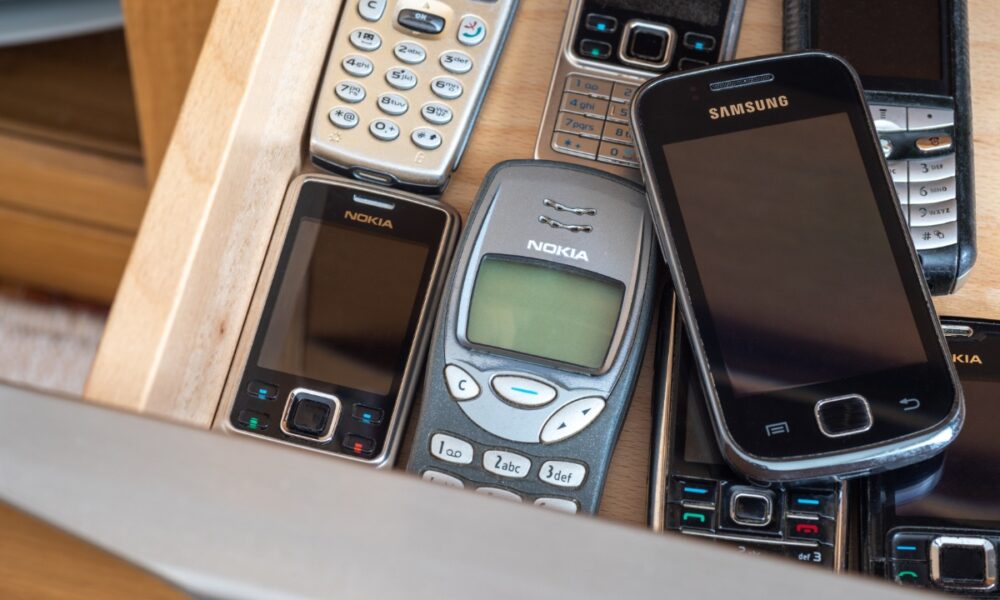
That dusty backup phone in your drawer isn’t just clutter; left long enough, its lithium-ion battery can bloat, crack a chassis, and turn into a household hazard. Reporters have flagged swollen cells in years-old handsets, a failure tied to deep discharge and chemical breakdown described by researchers at the University of Reading. If a device looks warped, powering it on or prying it open is a bad idea; professional handling and proper recycling are the safer moves. Better yet, move idle phones along through resale, trade-in, or donation before they have a chance to go bad.
Hidden dangers of your old smartphones: Why it’s time to act now
That drawer of retired phones feels like a backup plan waiting for a rainy day. Yet keeping unused devices tucked away can quietly create a safety risk. As batteries age in storage, they can deform, push against screens, and fail without warning. Americans upgrade often, so the pile grows. A little attention now prevents a household scare later.
The silent risks of forgotten smartphones
Phones left off for months slip into deep discharge. That state accelerates battery stress, especially in compact designs where heat and pressure have nowhere to go. The result can be a visible bulge, a lifted display, or a case that no longer sits flush. This is the case for many devices idled for 3 to 5 years, even if they were working when stored.
Why batteries swell, and why it matters
Inside a lithium-ion cell, the liquid electrolyte can break down over time. Per research from the University of Reading, deep discharge and prior overcharge events can trigger gas formation and internal heating, deforming the cell. In addition to cosmetic damage, a bloated battery can leak or short. That is why a forgotten phone can become a fire risk, not just a dead gadget.
Handle deformed devices safely
If you see swelling, do not charge, power on, or pry open the phone. Move it away from flammable materials, avoid punctures, and bring it to a professional repair shop. An Apple Store or authorized technician can assess whether the chassis, display, and connectors survived. DIY guides from iFixit exist, but cracked or bloated cells should be handled by pros to limit ignition risk.
Reuse or recycle before it’s too late
Keeping devices in circulation is safer than storage. Trade-in programs from manufacturers and carriers can turn old phones into credits, or you can hand them down to family. If a device is too far gone, use certified recycling. Best Buy and Staples accept many electronics for responsible disposal, and the EPA lists R2 and e‑Stewards recyclers by ZIP code. Do not mail a damaged battery; USPS restricts shipment of compromised lithium cells. Taking action now reduces fire risk at home and keeps valuable materials in the supply chain.